Order With Clarity
Configure products, modifiers, and preparation notes to help staff communicate the order.
SmartTab restaurant POS connects ordering, modifiers, check management, payments, and kitchen workflows. Choose fixed and mobile service points that fit your dining room, counter, and preparation process.
Configure products, modifiers, and preparation notes to help staff communicate the order.
Use tablets and handhelds alongside fixed service points for a setup that fits your restaurant.
Discuss printers, kitchen displays, and supported ordering integrations for your preparation workflow.
Bring ordering and guest-facing payments together with SmartTab fixed POS stations and customer-facing display options.
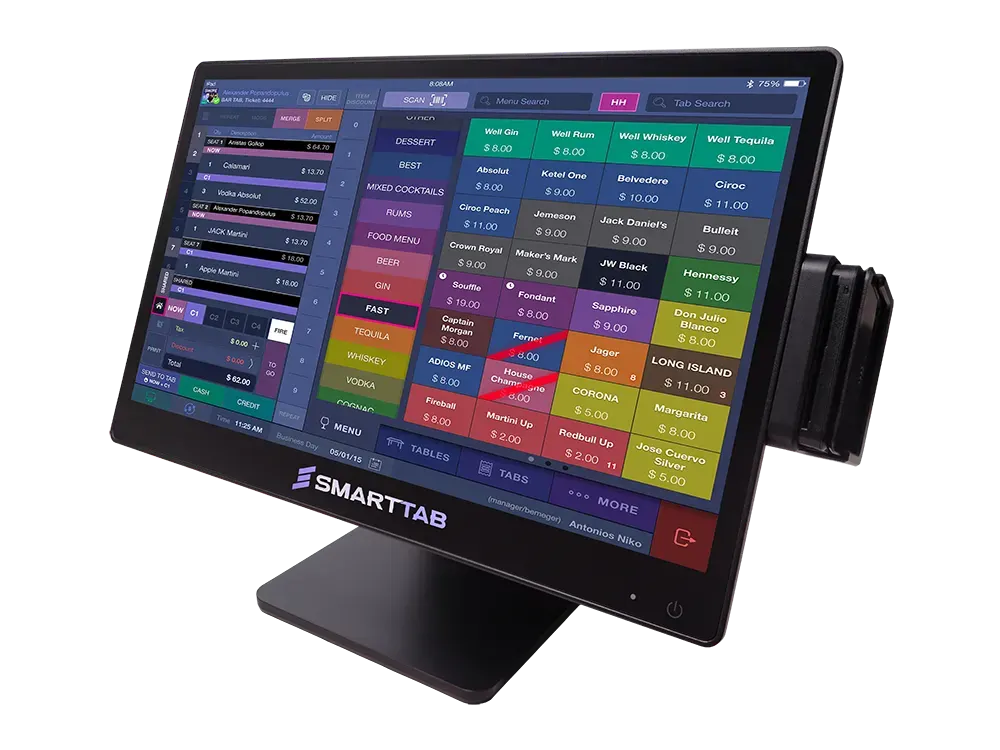
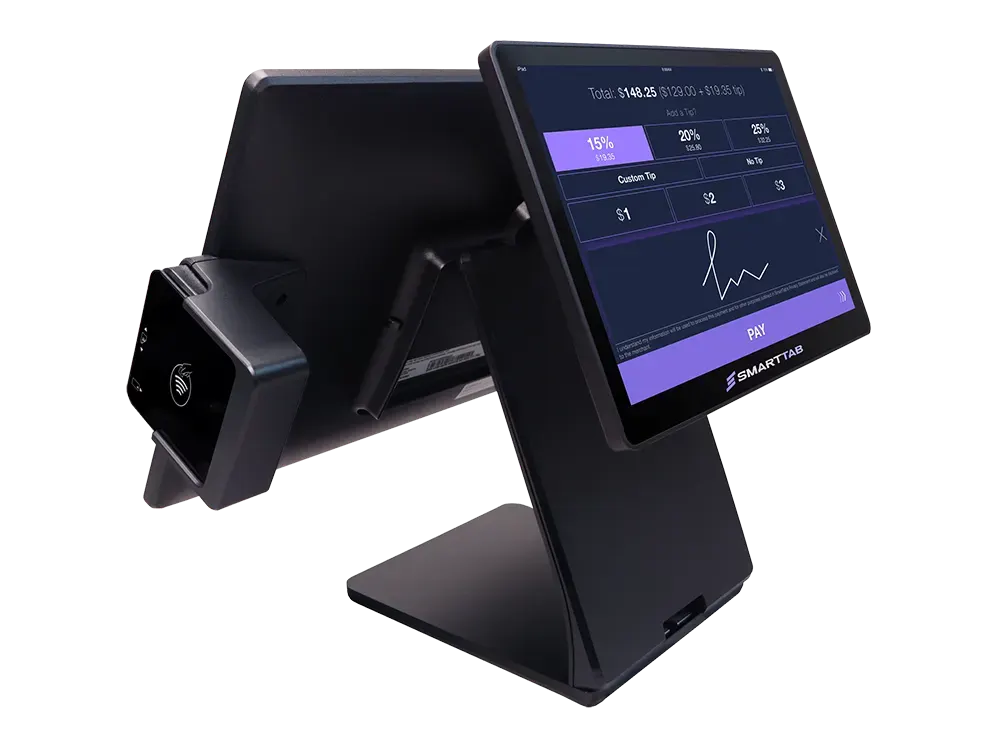
A restaurant order travels through several hands before the guest pays. Your point-of-sale setup should support clear communication at each stage, from the person taking the order to the team preparing it and the manager reviewing service.
SmartTab supports configurable products, modifiers, and preparation notes. Use your actual menu in a demo so you can review common choices, add-ons, and order details. Testing a few complex orders will show more than a generic walkthrough of empty menu buttons.
Handheld and tablet POS give staff options away from a fixed station. Consider how servers take orders, return to tables, and complete supported payments. The device plan should also account for charging, station placement, and dependable coverage across the service area.
SmartTab can work with supported kitchen-display and printing configurations. Fresh KDS is one confirmed integration option. Review what each kitchen station needs to see, how orders reach preparation teams, and how your team handles changes before choosing a kitchen hardware setup.
Restaurant management often extends beyond the POS. Confirm which inventory, scheduling, and payroll connections fit your operation. WISK, MarginEdge, 7shifts, Proliant, and Fresh KDS are among the supported partners covered on our integrations page; setup and data flow vary by service.
SmartTab offers ordering and payment workflows across fixed and mobile configurations. Tell us whether your venue uses counter ordering, seated service, or a combination so the demonstration reflects your operation.
Yes. Supported kitchen-display configurations include Fresh KDS integration. Screen placement, order routing, subscriptions, and installation requirements should be confirmed for your kitchen.
Bring representative menu items and examples involving modifiers, shared items, and split payments. We can focus the discussion on the steps your staff perform every shift.
Availability and setup depend on the chosen ordering service and connection. Share the platforms you use so we can confirm compatibility instead of assuming that every delivery workflow is a direct POS integration.
Bring your floor plan, current POS challenges, and service priorities. We'll walk through a setup that fits your venue.
BOOK A DEMO
POS THAT DOESN'T SUCK
Built for high-volume hospitality.
844-707-7772
partners@smarttab.com
© 2026 SmartTab. All rights reserved.